
Notes from the Desk · No. 07
Shoot Your Own Business Like a Pro, With the Phone in Your Pocket
Real photos of your real work beat stock every time. A practical guide to shooting your business with a phone: light, angles, people and files.
Open a dozen small-business websites and you’ll find the same photo on half of them: a smiling woman in a headset, a handshake over a desk, a hammer resting on a blueprint. Stock photography. It looks polished and says nothing, because a customer can find that exact handshake on a thousand other sites.
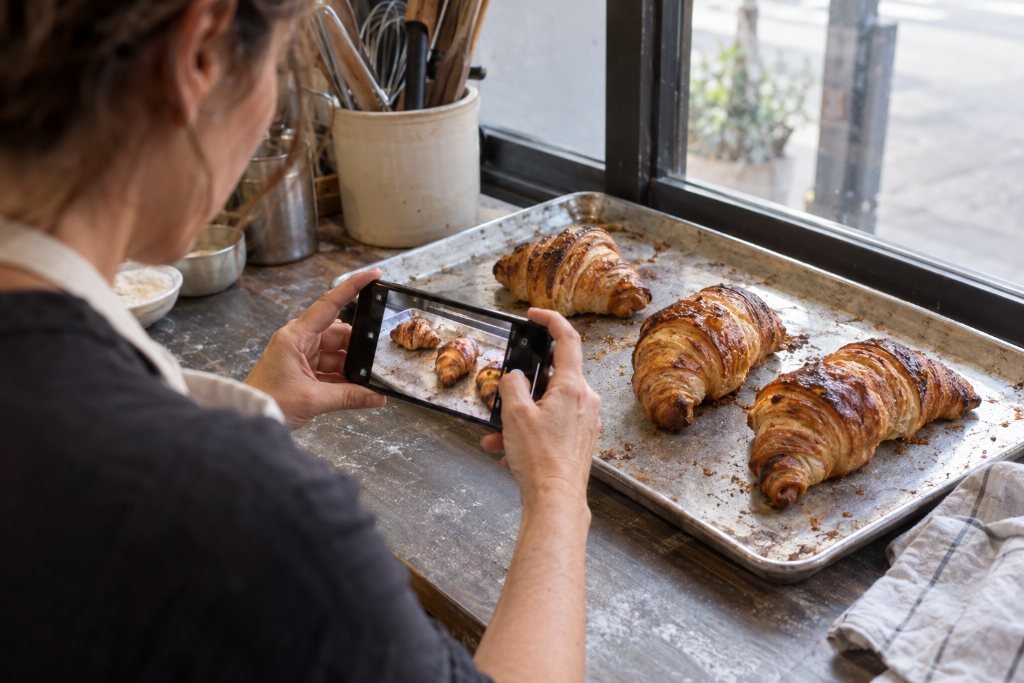
The photo that wins the job is almost always the one the owner took. The kitchen you actually remodeled. The balayage you actually painted. The croissant that actually came out of your oven at 6 a.m. Customers can tell real from rented in a glance, and real reads as proof.
You don’t need a camera, a photographer or a course. You need the phone you already carry and about a dozen habits. Here they are.
Light does most of the work
If you remember one thing from this note, remember this: find the window.
Soft daylight from the side flatters almost everything. Food looks fresh, hair shows its color, a finished room looks like a place someone wants to live. Overhead fluorescent light does the opposite. It flattens texture, turns skin gray and adds a faint green cast you’ll never quite fix later.
- Turn off the flash. Direct flash makes shiny things glare and dark backgrounds go black. Natural light, or a lamp bounced off a white wall, always wins.
- Shoot with the window beside you, not behind your subject. Light coming from behind the subject turns them into a silhouette. Light from the side gives shape.
- Avoid harsh midday sun outdoors. It casts hard shadows under eyes and eaves. Early morning and the hour before sunset give warm, soft light. Bright overcast days are a gift: the clouds act like a giant diffuser.
- Turn off mixed lighting. A warm lamp plus cool daylight plus a fluorescent tube gives you three colors of light in one photo. Pick one source and switch off the rest.
Hold the phone like you mean it
- Wipe the lens. Your phone lives in a pocket. A fingerprint smudge creates that hazy glow that makes good photos look cheap. Wipe it with a soft shirt before every session.
- Turn on the grid. Both iPhone and Android cameras have a grid option in settings. Use it to keep horizon lines and countertops level, and to place your subject a little off center.
- Don’t pinch to zoom. Pinching enlarges pixels and softens the image. If your phone has lens buttons like 0.5×, 1× and 2× or 3×, use those instead. Otherwise, walk closer.
- Tap to focus, then slide to adjust brightness. Tap the most important part of the frame, then drag the little sun icon down slightly if the bright areas look washed out. Slightly dark is easy to fix later. Blown-out white is gone for good.
- Brace yourself. Elbows tucked, or the phone resting on a shelf or doorframe. In dim rooms, a steady hand makes the difference between sharp and mushy.

Shoot both directions, every time
Your website uses wide horizontal images. Instagram and phone screens prefer vertical. Your Google Business Profile wants both. Save yourself a reshoot: take every important photo twice, once horizontal and once vertical. Leave a little extra room around the subject so a designer can crop without cutting off the good part.
What to photograph, by trade
The best photos answer the questions customers already have. Here’s a shot list to start.
Contractors and trades
- The finished space from the doorway, at about chest height, so it looks the way a homeowner sees it walking in
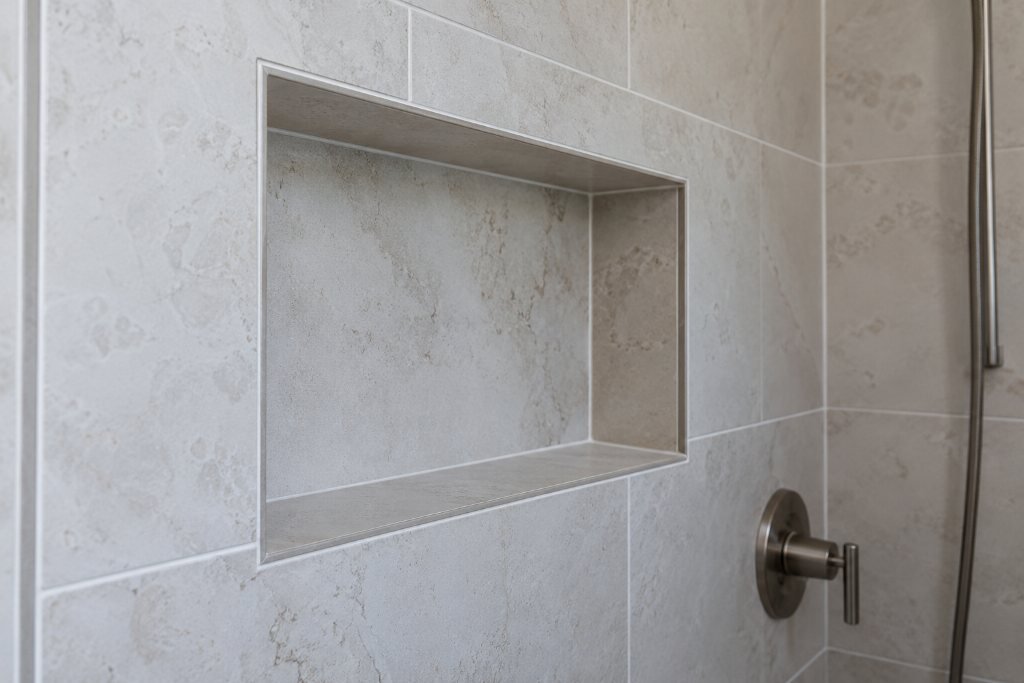
- One detail that shows craft: a clean tile edge, a seam you can’t find, tidy wiring in a panel
- Before and after from the same spot and angle. Mark your feet with tape the first day so you can stand in the same place at the end
- Your truck, your crew, your branded shirts. People want to know who’s coming to their house
Salons and beauty
- The work in daylight by the window, from the back and the side, not just the front
- Close-ups of color, texture, nail art, brow shape
- The chair and the room. Clients book the experience as much as the cut
- You and your team, working, not posing
Real estate
- Each room from the corner, at chest height, with lights on and blinds open
- The view out the best window
- The street, the neighborhood coffee shop, the park two blocks away. Buyers buy a location
- Professional listing photos are worth paying for. Your phone covers the neighborhood, the open house and your own headshot updates
Food and hospitality
- Dishes from directly above for flat plates and bowls, and from a low three-quarter angle for burgers, cakes and anything with height
- Hands in the frame: pouring, slicing, plating. Motion makes food look alive
- The room at its best hour, with a few people in it
- The exterior and sign, shot in daylight, so people can find you
Professional services
- A real portrait of each person clients will meet, near a window, in what they actually wear to work
- The office or meeting space
- A working moment: reviewing documents with a client, sketching on a whiteboard
People make it real, so ask them properly
Photos with people in them consistently feel warmer than empty rooms. But a customer in your photo becomes part of your marketing, so ask first, and get it in writing. A simple signed release or a short consent form you keep on file protects you both. For minors, get permission from a parent or guardian. If someone says no, thank them and shoot their hands or the back of their head instead.
Your own face counts too. Small-business customers want to see the person behind the business. One good portrait of you, updated once a year, earns its place on your About page.
Edit lightly, and the same way every time
You don’t need special software. The editor built into your phone handles almost everything:
- Straighten anything that should be level.
- Crop out clutter at the edges: a stray cord, a trash can, half a person.
- Brighten slightly and lift shadows a touch.
- Warm or cool only if the color looks wrong to your eye. White should look white.
Then stop. Heavy filters date quickly and make work look less trustworthy, especially for trades and beauty, where customers judge real results. Whatever adjustments you settle on, use them on every photo, so your site looks like one business instead of ten.
Get the files ready for the web
A beautiful photo can still slow your site to a crawl. Before you upload:
- Resize. Full-width images rarely need to be more than 2,000 pixels wide. Most photos inside the page look sharp at 1,200 to 1,600.
- Compress. Free tools like Squoosh or TinyPNG cut file size dramatically without visible quality loss. Aim for a few hundred kilobytes per image rather than several megabytes.
- Name files in plain words. “kitchen-remodel-fort-myers.jpg” helps search engines understand the image. “IMG_4823.jpg” helps no one.
- Write alt text. That’s the short description screen readers read aloud, and it helps search too. Describe what’s in the photo the way you’d describe it to someone on the phone: “White shaker kitchen with a quartz island and brass pendant lights.”
Make it a habit, not a project
The businesses with the best photos rarely hold a big photo day. They shoot a little, all the time. Snap the finished job before you pack up the truck. Shoot the morning bake before the first customer walks in. Take the after photo while the client’s still smiling in the chair.
Create one album on your phone called “Website” and drop the keepers in it as you go. In three months you’ll have more real, honest photography than any stock site could sell you, and every picture will say something only your business can say.
When it’s time to build those photos into a site, we’re happy to help choose, crop and lay them out. Send a handful over with a free redline request and we’ll tell you which ones do the most work.
Request a Redlinethe notes come to you
Get the next note first.
One note, when it’s ready. Usually monthly. No noise you didn’t ask for, and your email never leaves the studio.
You’re on the list. The next note will find you.
That didn’t go through. Email inquiries@southandstonestudio.com and we’ll add you by hand.